

1. Set Privileges on the Directory Folder
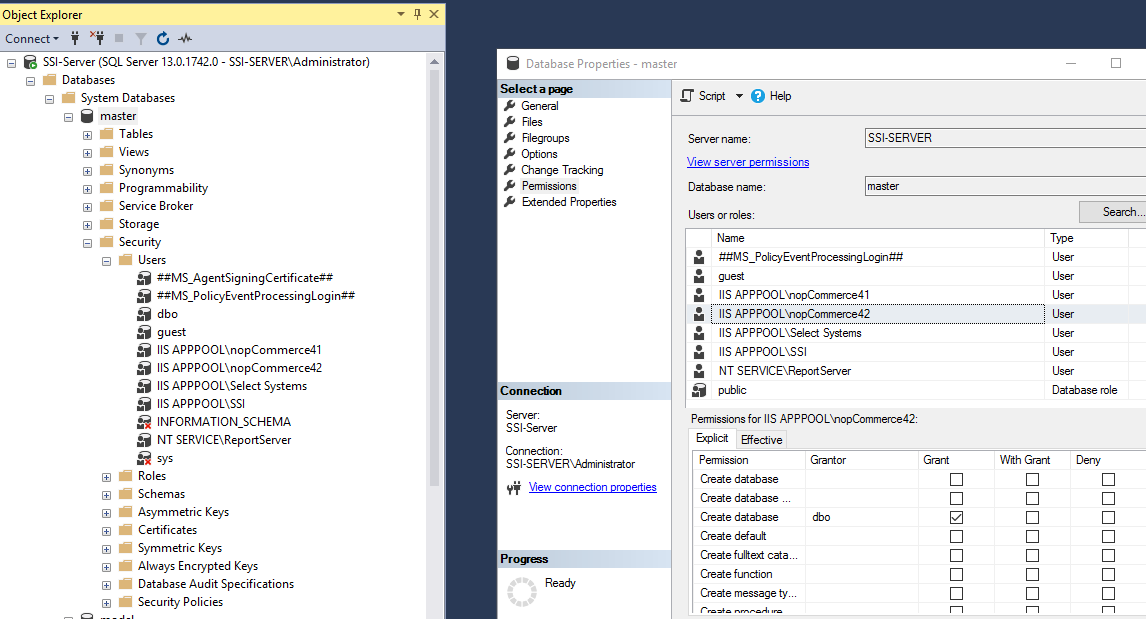
If you are creating a database you need create database privs on the SQL Server
In my case that means website application i.e. "IIS AppPool\<myappoolname>"
Needs create database privs on the master database
2. Directory Folder
You cannot put nopCommerce in a subdirectory of another website
Thats a .NetCore thing
2. Directory Permissions
I have the Application pool .NET CLR Version for the website set to have "No managed code"
Set the directory permissions to allow access
i.e. add access for your Application pool
my AppPool is called nopCommerce42 the same as the IIS Website name
So goto Directory Security -> Edit -> Add
I added the user: IIS AppPool\nopCommerce42
And allowed Modify and Write Permisions
[img]http://www.selectsystems.com.au/Content/Images/uploaded/directorypermissions.jpg[/img]
For other versions I replace above with nopCommerce44[/quote]


